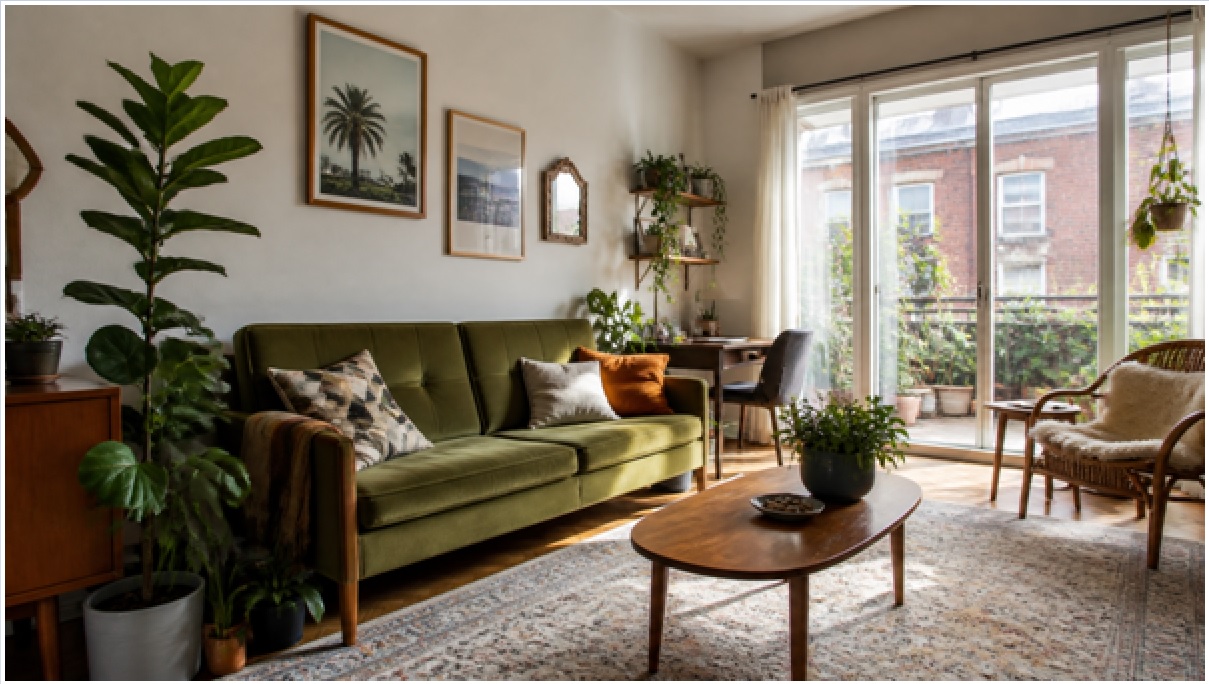
A full room makeover no longer starts with a $2,000 designer retainer or a weekend of Pinterest guesswork. For under $50 and an afternoon, a renter can now photograph a room, generate a photorealistic redesign, and build a shopping list before touching a single throw pillow. The trick is spending money on decisions, not on mistakes.
Why plan a makeover with AI before you buy anything?
Because the most expensive part of any makeover is the stuff you buy and regret. Roughly 20-30% of home furnishing purchases get returned or shoved in a closet because they clash, don’t fit, or look wrong in the actual room. Planning with a visualization tool lets you test ten looks for free before committing a dollar.
This is where AI interior design tools have quietly changed the math for renters. You upload a photo of your existing room, pick a style, and in about 30 seconds you get a photorealistic version of that same space redesigned. Tools like GenRoom keep your walls, windows, and layout intact, so what you see is genuinely plannable rather than a fantasy render of a room you don’t have.
The workflow is simple, and it front-loads every decision that used to cost money:
- Test styles risk-free. Try Japandi, mid-century, boho, and coastal on the same room and see which actually fits your light and layout.
- Catch scale problems early. A sectional that swallows the room is obvious on screen and painful in real life.
- Build a targeted shopping list. Once you lock a look, you know exactly what to buy and what to skip.
- Get buy-in. A photorealistic mockup ends the “I can’t picture it” argument with a roommate, partner, or landlord.
What does a budget room makeover actually cost?
A rental-friendly makeover of a standard 12×12 room typically runs $300 to $900, depending on how much you already own and how much you thrift. The single biggest lever is buying secondhand for large items and spending new-money only on textiles and lighting, where quality shows.
Here is a realistic breakdown for a living room refresh where you keep the big furniture but restyle everything around it:
| Item | Budget approach | Typical cost |
| AI design plan | GenRoom Start or Basic plan | $7 – $20 |
| Paint or peel-and-stick | 1-2 gallons, or removable wallpaper accent | $35 – $90 |
| Area rug | New budget rug or secondhand | $60 – $150 |
| Lighting | Warm LED lamps, plug-in sconces | $40 – $120 |
| Textiles | Curtains, pillow covers, throw | $50 – $130 |
| Wall art & frames | Printables + thrifted frames | $25 – $80 |
| Plants & greenery | 2-4 plants, real or faux | $30 – $90 |
| Accent furniture | Thrifted side table or shelf | $40 – $130 |
| Total | Restyle, keep big furniture | $287 – $810 |
Compare that to hiring a designer, which starts around $75-$200 per hour or $1,500+ for a single room, and the AI-planning route saves you the design fee entirely while cutting waste on the furnishing side.
Where should renters spend, and where should they save?
Spend on lighting and textiles; save on large furniture and anything permanent. Warm, layered light and quality soft goods make a rental read as “designed,” while a $600 sofa and a $150 thrifted-then-slipcovered sofa look nearly identical once styled.
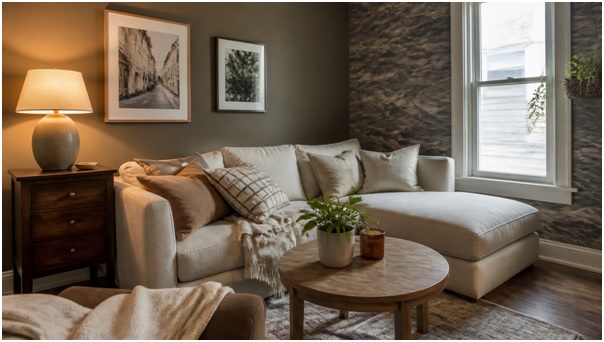
Bedroom makeover with renter-safe upgrades: peel-and-stick accent wall, warm lamp light, and layered textiles.
A practical spend-vs-save split for renters:
- Spend on: lighting (three sources per room minimum), curtains hung high and wide, a quality rug, and one anchor plant.
- Save on: big furniture (buy secondhand), wall art (print your own), and accent tables (thrift and paint).
- Never buy permanent: skip anything you can’t remove when the lease ends. Use peel-and-stick wallpaper, removable hooks, and clamp lighting.
- Free wins: declutter, rearrange for better flow, and swap hardware you can screw back before move-out.
The golden rule: renters should put money into things that move with them. A great rug, good lamps, and nice curtains follow you to the next apartment. Custom built-ins do not.
How do you turn an AI mockup into a real shopping list?
Work backward from the generated image, item by item, and match each element to a real product in your price tier. The mockup is the spec sheet; your job is sourcing.
A repeatable process:
- Generate 2-3 style options of your actual room, then pick the one that fits your light and lifestyle.
- List every visible element: rug color, curtain length, lamp style, plant type, art layout.
- Assign a source to each: thrift, marketplace, or new. Aim to thrift the three biggest-ticket items.
- Set a hard cap per category using the table above so one splurge doesn’t blow the budget.
- Buy in stages. Paint and rug first (they set the room), then lighting, then decor. Reassess before the final third.
GenRoom supports up to five photos per project, 50+ styles, an AI Editor for tweaking specific elements, and 4K output on higher tiers, so you can plan a whole apartment room by room rather than guessing one space at a time. One caveat: AI planning is for looks and layout, not structural work. Moving a wall, rewiring, or replumbing still needs a licensed pro.
What can AI design not do for you?
AI design tools plan aesthetics, not construction. They will not measure your room, guarantee a product is in stock, or replace a contractor for anything involving load-bearing walls, electrical, or plumbing.
Keep these limits in mind:
- Measure everything yourself. A render can’t tell you a sofa won’t clear the doorway.
- Products aren’t linked. The AI shows a look; you still source the pieces.
- Structural changes need a pro. Use the mockup to communicate your vision to a contractor, not to skip one.
- Landlord approval still applies. Even removable changes should clear your lease terms.
The Bottom Line
A budget makeover succeeds or fails on decisions made before you spend, and that is exactly the part AI now handles for pocket change. For the price of two coffees, you can visualize your real room in a dozen styles, lock a look, and build a shopping list that puts money into lighting and textiles instead of returns. Keep the big furniture, thrift what you can, stay renter-safe, and let a 30-second mockup do the expensive thinking. A $400 room that looks like $4,000 is entirely realistic when the plan comes first.